
How LIVERYLive connects to Xero, QuickBooks and Stripe
Billing that joins up
For most livery yards, invoicing is the job that eats the evenings. Livery yard invoicing means stable rent, extra services, arena hire, and chasing who has paid and who hasn’t. Good livery yard invoicing starts with the work your team actually does.
LIVERYLive connects directly to Xero, QuickBooks and Stripe. Your invoices are built from the work your yard actually does, copied straight into your accounting platform, and marked as paid automatically when the money comes in. Here is how it works.
1. Invoices built from the work you do
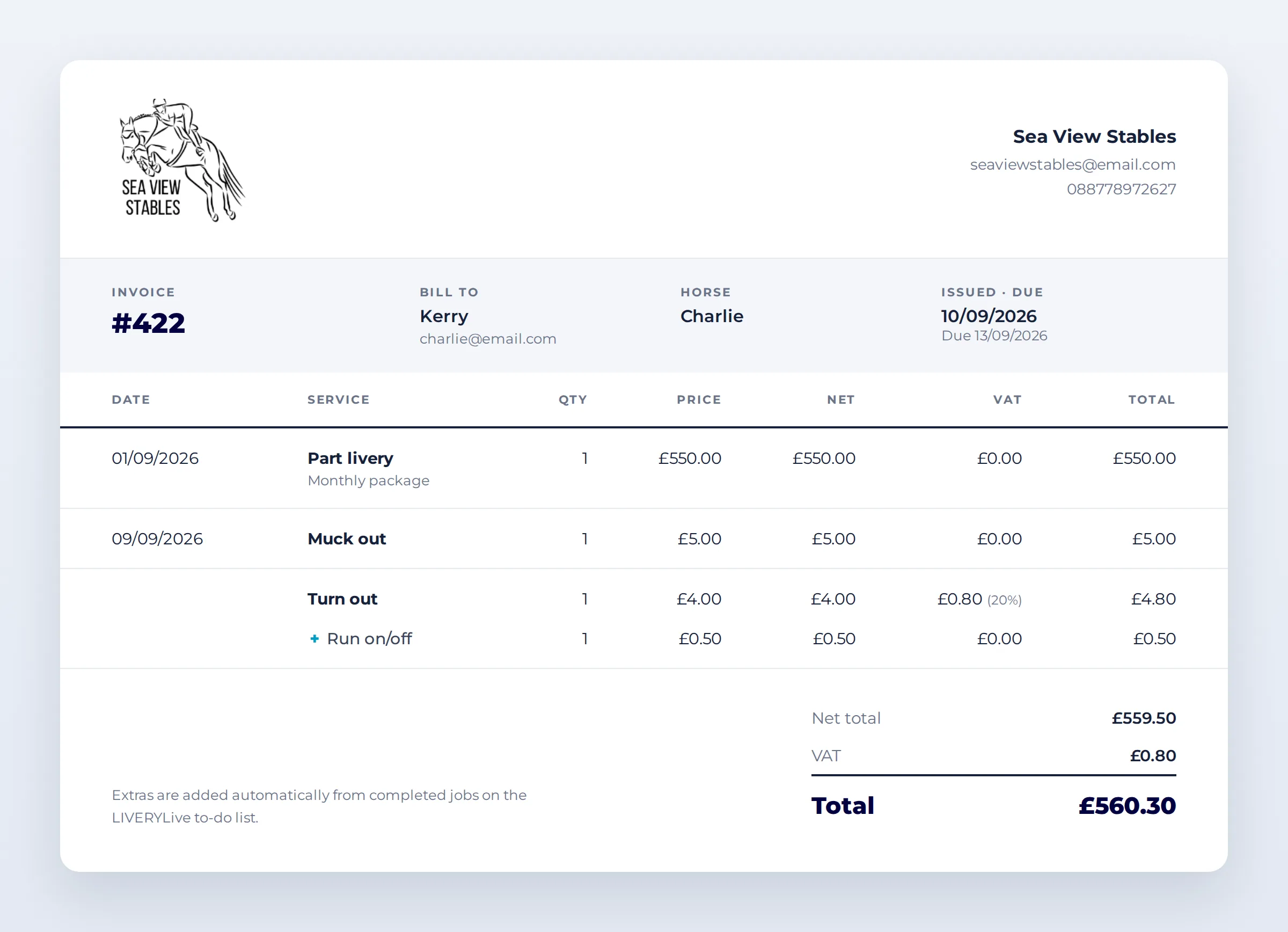
Every horse’s invoice starts in LIVERYLive. Monthly charges such as stable rent are set up once on the horse’s billing tab. Then, as the month goes on, extras are added automatically from the to-do list.
When a horse owner requests a service, or your team adds a job, it goes on the to-do list. Once the job is marked complete, the charge lands on that horse’s bill. Turnout, bring in, rugging, farrier holding, extra shavings: if it was done, it is billed.
Nothing gets forgotten, nothing relies on someone remembering to write it down, and your horse owners can see exactly what they are paying for. It’s the quickest way to handle livery yard invoicing at month end

2. One click sends everything to Xero or QuickBooks
At the end of the month, click Bulk Send. LIVERYLive adds up each horse’s month, rent plus every extra, and copies the invoice straight into your connected Xero or QuickBooks account.
The invoice in your accounting platform is identical to the one in LIVERYLive. Same lines, same amounts, same total. No retyping, no copy and paste errors, and no second version of the truth for your accountant to untangle.

3. Paid in your accounts means paid in LIVERYLive
When a horse owner pays and the invoice is registered as paid in Xero or QuickBooks, that information is sent back to LIVERYLive automatically. There is no need to go back in and mark the LIVERYLive invoice as paid yourself.
The result is one clear view of your livery yard invoicing. You can see at a glance which invoices are paid and which are still outstanding, without switching between systems or cross-checking bank statements.
4. Stripe: card payments through the app
LIVERYLive uses Stripe to take secure card payments directly through the app, so money comes in at the point of booking rather than weeks later.
Arena bookings. Riders pay by card when they book, whether they are external riders finding your arena online or liveries booking a slot on your own yard.
Pre-paid services. Horse owners can book and pay for services in the app up front. When the monthly invoice goes out, those services appear as a summary of what was booked and already paid, so the only thing left to pay is the stable rent.
That means better cash flow, simpler livery yard invoicing and fewer awkward conversations about money

Why it matters for your yard
- Every charge captured. Extras flow from the to-do list onto the invoice, so work done is always work billed.
- No double entry. Invoices are built once and copied to Xero or QuickBooks exactly as they are.
- Always know who has paid. Payment status syncs back automatically, so your LIVERYLive billing is always up to date.
- Money in sooner. Stripe card payments for arena bookings and pre-paid services mean less chasing at month end.
- A more professional yard. Clear, accurate invoices build trust with your horse owners and make life easier for your accountant.
LIVERYLive is the UK-built app for equine yard management, helping livery yards of every size run a better, more organised business.
Want to see it in action? Book a demo or start your free trial at liverylive.com.