
Welcome to LIVERYLive: Your Quick-Start Guide for Horse owners
Welcome to LIVERYLive! We are here to help you spend less time on admin and more time in the saddle. Once you have accepted the invitation email from your yard manager and logged in, follow this guide to get started.
1. Setting Up Your Horse’s Profile
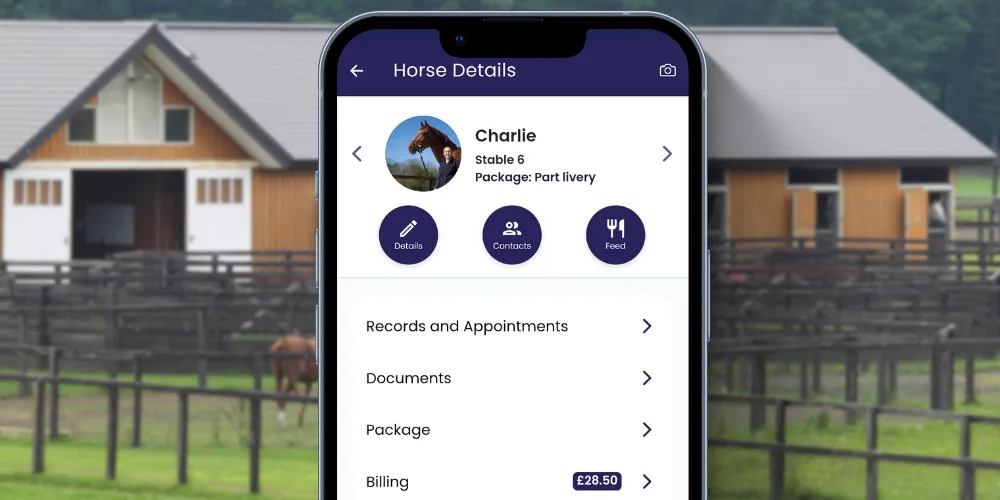
When you first log in, you will see your horse’s profile. Let’s make it look the part and get the details in order.
-
Add a Photo: Click the camera icon at the top right of the screen. Select a photo from your library and click Upload.
-
Essential Details: Click the blue Details button, then select Edit. Here you can fill in your horse’s vital information.
-
Livery Packages: If your yard has set up livery packages, you can see your usage limits directly within your horse’s profile to keep track of your included services.
-
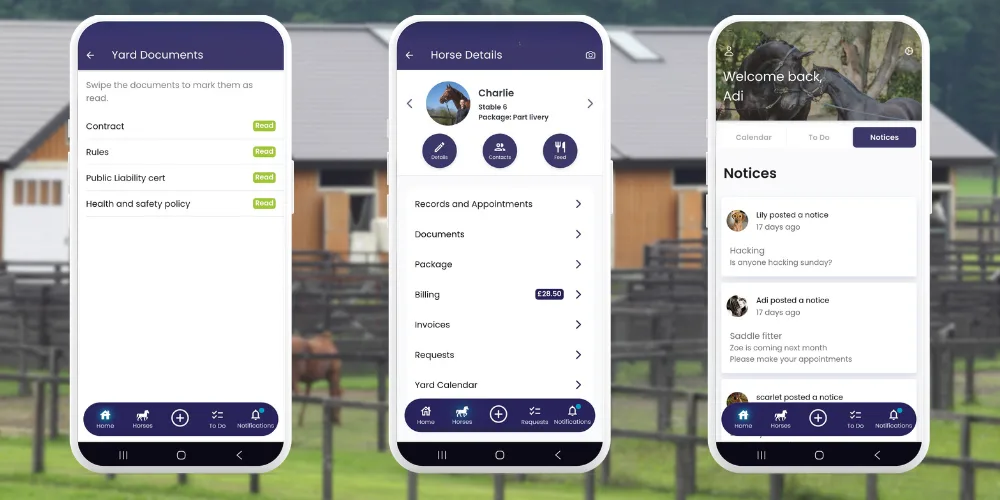
Yard Documents: To view important files like contracts or yard rules, click on the Account Menu at the top right.
2. Health Records & Digital Passport
Use LIVERYLive as a secure backup for your horse’s most important documents.
-
Vaccinations & Records: Go to the Records section to track vaccinations, dental visits, and worming. You can add images to any record entry—perfect for keeping a digital copy of your horse’s passport pages or vet reports.
-
Health Tracking: The Weight and Temperature sections automatically generate graphs so you can spot health trends before they become problems.
3. Using the Yard Calendar & Arena Bookings
The calendar is your hub for staying organized and securing your slot in the school.
Visibility Options
When adding an event to the calendar (like a vet visit), you can choose who sees it:
-
Everyone: Visible to all yard users.
-
Me and Staff: Perfect for vet/farrier visits so the yard knows who is on-site.
-
Just Me: Private notes or reminders for yourself.
Note: If your yard has set up specific calendar categories, some entries may show as Pending until they are accepted by the yard manager.
How to Book the Arena
-
Click View Yard Calendar.
-
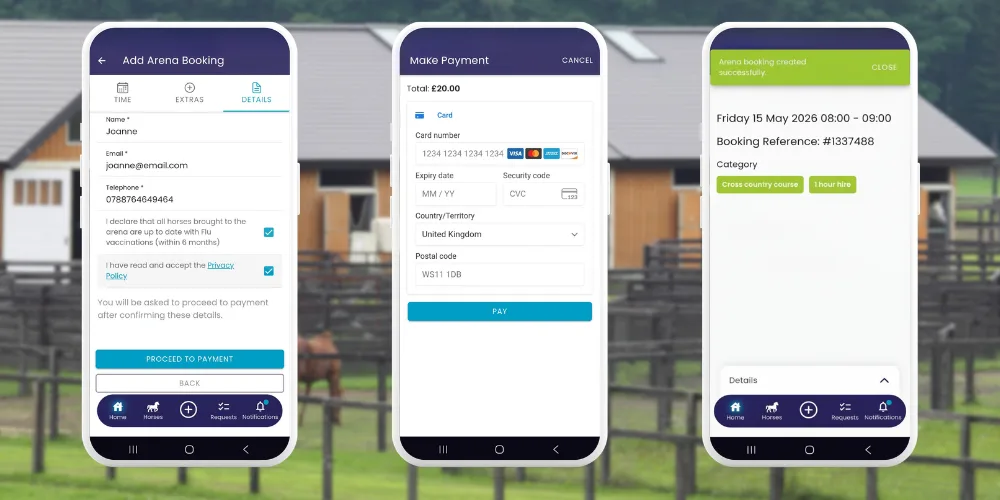
Tap the + icon (top right) and select Add Arena Booking.
-
Choose your date, select the arena, and pick an available time slot.
-
Select any optional extras, add your details, and click Save.
4. Requesting Services
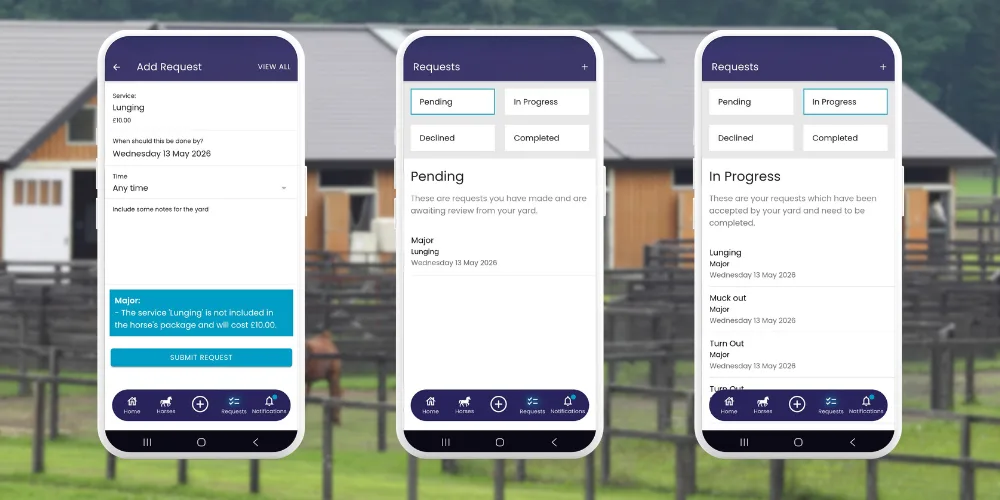
Need a rug change, turnout, or exercise? Requesting help takes seconds:
-
Tap the Requests button at the bottom of the screen and click the + icon.
-
Select the service, choose the date, and add your notes.
-
Track Progress: Your request moves from Pending to In Progress and finally Completed.
-
Important Note: Once a request has moved to In Progress, it can no longer be amended by the horse owner.
-
Automatic Billing: Once marked as Completed, any extra charges will be added to your live bill immediately.
5. Billing & Invoices
Manage your livery costs transparently without the paperwork.
-
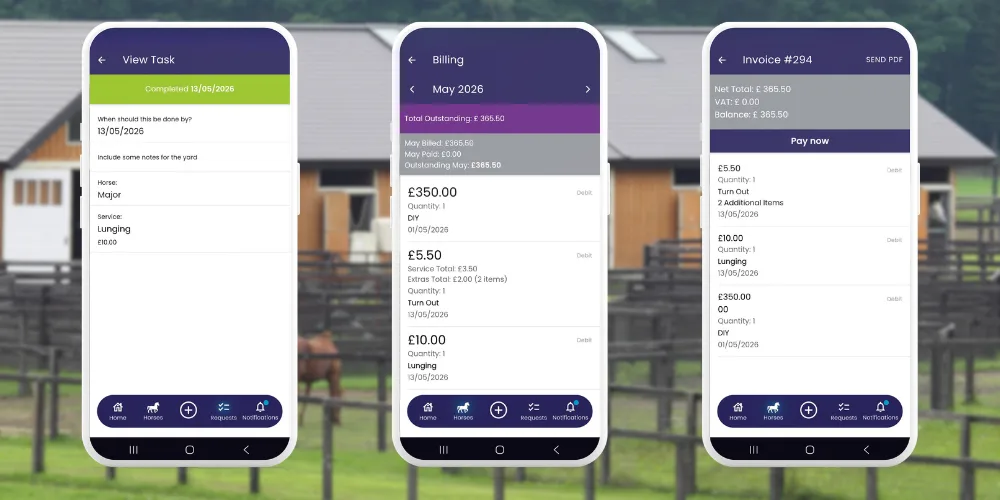
Live Billing Feed: Check this anytime during the month to see a real-time list of your current charges.
-
Monthly Invoices: At the end of each month, your formal invoice is generated and stored here.
-
Instant Payment: If your yard uses Stripe, you can settle your bill instantly via the Pay Now button.
6. Shared Horses & Multiple Profiles
LIVERYLive is flexible enough to handle your specific situation:
-
Shared Horses: If you share a horse or have a co-owner, your yard can set this up so multiple owners have access to the same horse profile and billing.
-
Multiple Horses: If you own more than one horse, you can manage them all from your single app login. Simply tap to switch between their profiles.
7. Moving Yards? Take Your Records With You!
If you decide to move yards, you don’t have to lose your horse’s history.
-
Check Your New Yard: Before you move, check to see if your new yard uses LIVERYLive!
-
How to Transfer: Go to the Account Menu and click Request Yard Move. Find your new yard on the list and click Request Move.
-
If they aren’t on LIVERYLive yet: Don’t worry! You can contact us to change your account type to Solo. This allows you to keep all your records safe and accessible even if you aren’t at a registered yard.
-
What is transferred? To protect yard privacy, only your horse’s Records section is transferable. This ensures your medical history and health logs stay with the horse wherever they go.
Security Note
Your data security is our priority. While LIVERYLive connects to accounting software like Xero or QuickBooks for your yard manager, those systems are entirely secure. LIVERYLive only sees the billing data and invoice numbers related to your horse—your private banking details are never visible.