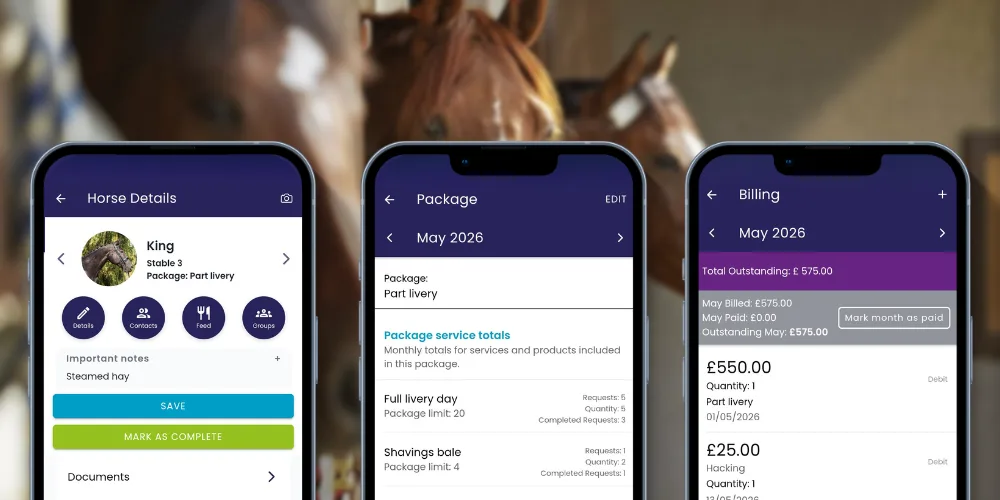

Want to automate your billing? Rent Packages does the maths for you. Set them up once, and the app handles the allowances, extras, and mid-month moves.
Phase 1: Your Building Blocks
Before creating a package, list your services (Muck out, Hay, Shavings) in the Yard Setup > Services tab. Set your standard “shop price” here for anyone not on a plan.
Phase 2: Build the Package
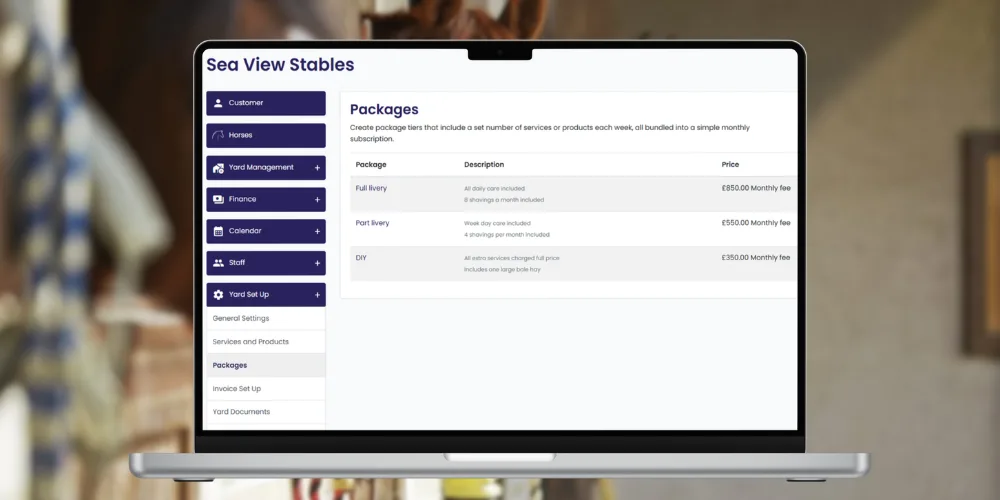
Go to Yard Setup > Packages to bundle your services into plans like Full, Part, or DIY.
- Pick Your Billing Day Choose to have rent automatically added to the horse’s bill on the 1st or the Last day of the month.
- Set the “Rules” For every service in the package, choose a rule:
- Included: It’s free (e.g., Turnout in Full Livery).
- Included with Allowance: A set amount is free; the app charges for any overage (e.g., First 8 bales of shavings are free).
- No Inclusion: It’s always an extra charge (e.g., Clipping).
Phase 3: Track in Real-Time
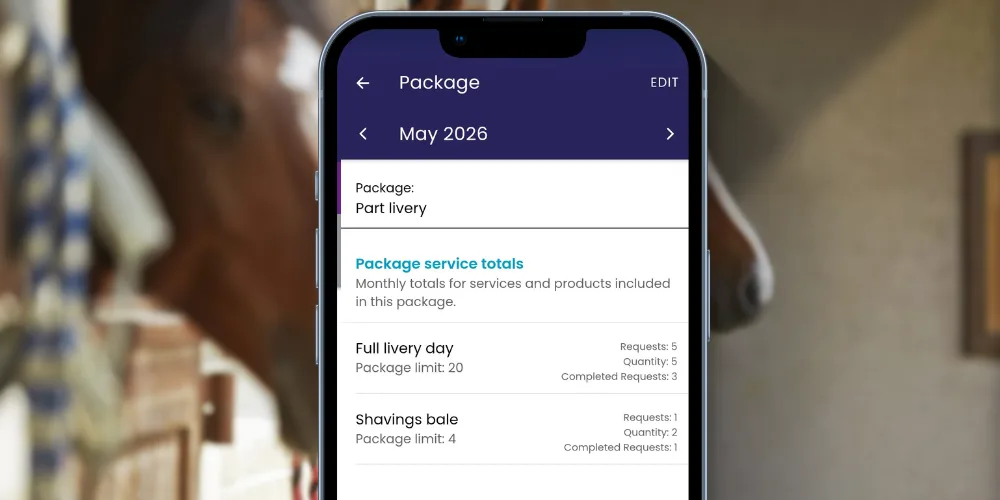
Every horse profile now has a Package Section. You can see exactly how many bales or services a horse has used this month and how close they are to hitting their limit.
Why Managers Love It:
- Zero Maths: The app triggers a charge the second an allowance is exceeded.
- One Task List: Staff just check off tasks; the system works out if it’s “included” or “extra” in the background.